 The first three bytes are the file's signature and will always be "UBI" or 0x554249.
UBI (uncompressed bitmap image) is a file format I made to be simple to understand when viewing the raw data. It works by storing raw pixel colour data without compression.
The first 8 bytes will always be the same metadata structure no matter what encoding method is used.
The first three bytes are the file's signature and will always be "UBI" or 0x554249.
The next one will contain the files encoding type e.g. 0x06 would be the encoding type R8G8B8.
The next two are an unsigned 16 bit int which represents the image's width.
The next two are the same as the last two but for height.
The first 8 bytes will always be the same metadata structure no matter what encoding method is used.
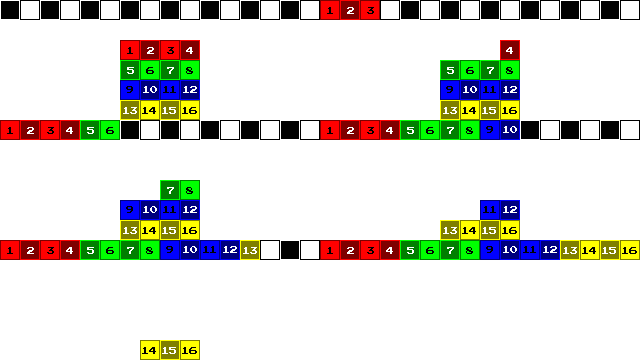
Pixels are stored one layer after another starting at the top most layer and moving down.
The GIF below demonstrates how the pixels are ordered in memory before they are stored into a file.
Pixels use four bytes to store the colour; one byte per channel. This gives 16,777,216 colour combinations and 256 alpha options. e.g. bytes 0xB6A2FFFF would give *this colour*.
Pixels use two bytes to store the colour meaning each channel uses 4 bits. This gives 4,096 colour combinations and 16 alpha options. e.g. bytes 0xAE2F gives *this colour*.
An R4G4B4A4 colour is converted to R8G8B8A8 colour by multiplying each channel's value by 16. However, if the multiplication results in a channel value of 240 then it is set to 255. This is done so that pure white is still an option on the colour pallet.